Alert! Freight Claims that are concealed damaged must be reported within 5 days of delivery. If the delivery receipt is marked damaged or short or the proof of delivery is not available (Lost), then the time is 9 months from the delivery or anticipated delivery date to report the claim.
Basic Steps: Access the Freight Claims folder on the network, select appropriate template associated with the carrier on the order, complete fields on the template, attach invoice copy and proof of delivery. Hit Send a Copy!
Basic Steps: Access the Freight Claims folder on the network, select Claim Status template, complete fields on the template, ensure the email is sending to Traffic. Hit Send a Copy!
Chapter 3: File Disposition of Freight
Basic Steps: access template in HubSpot, fill in placeholders or delete, approve or instruct carrier, Hit Send!
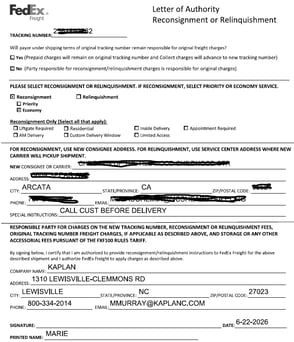
Example documents of letters of authorization often sent by the carrier:
LOA Example 1
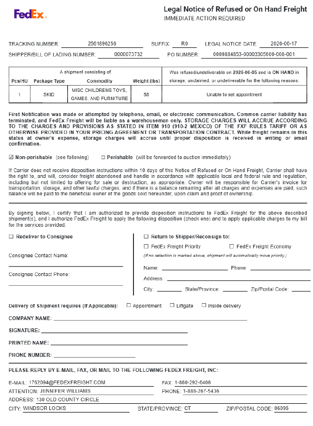
LOA Example 2