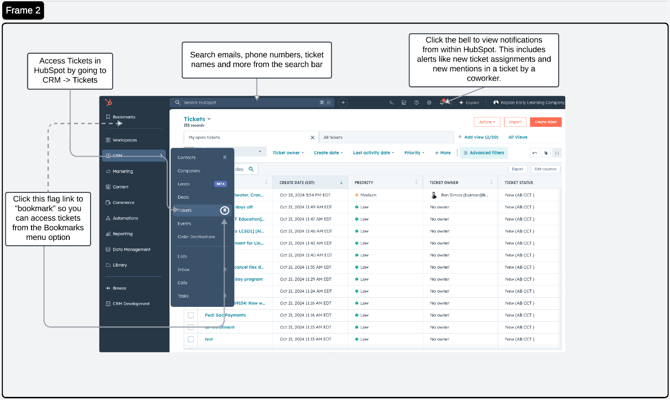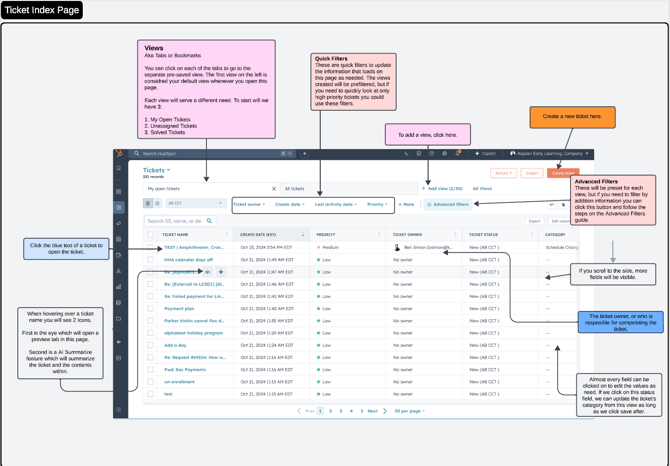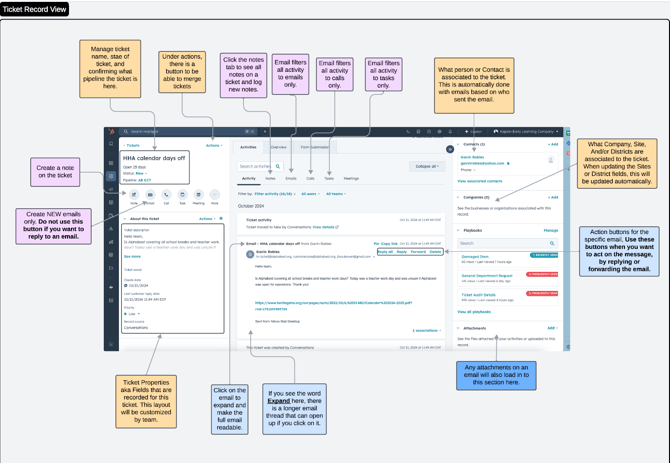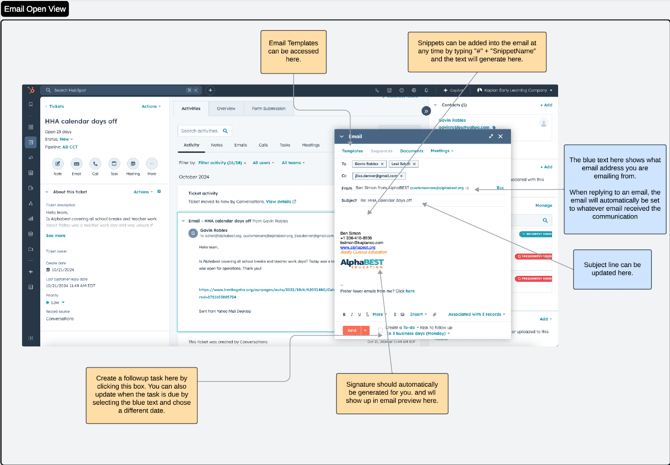
Scroll through pages for key points. Screenshots reflect the AlphaBest Pipeline, but the call outs will apply to Kaplan pipelines as well.
Topics covered:
Notifications, tabs, filters, scroll, edits in screen, clickable links, ticket status, options to create new emails, tasks, notes, log meetings and calls,
The right scroll area is for contacts, companies, attachments, playbooks, tickets, deals, etc.