Navigate to the Track Order page: Order Status (Tracking information)- Main Menu->Order Management->Quotes and Orders->Review Order Information->Track Order
Search or enter information to access order of interest.
*this page is also accessible via the order reference button on create/update order:
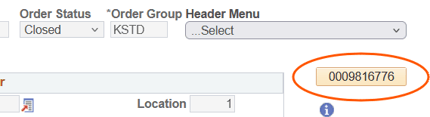
Areas of interest on the page:
Reason Code - indicates why the order is not in the warehouse, if blank, then the order should be processing for shipment. Batch (sending orders to the warehouse) runs 4 times a day, on average: 9AM, 11AM, 1:30PM and 4PM. This reason code may update throughout the day. View reason codes.
View check boxes to identify prebill order/lines, drop ship line, or NLA line.
Line Status options:
| Pending | Order is still in "entry" stage, not available to ship |
| Open | Indicates no system processes have occurred |
| Purchased | Drop ship purchase order has generated |
| Partial Reserved | 1 or more items in the product set has reserved |
| Backordered | Item does not have inventory to allocate to order |
| Cancelled | Line has been cancelled |
| ON Hold | 1 or more holds exist on order |
| in_WA | order is in the warehouse for processing |
| Reserved | Entire quantity for line is allocated to order |
Click on status for Partial/Backordered to view item(s) that are not reserved.
If status is in_WA, 'tandata ' is a great site to view where the carton(s) is in picking/packing/staging.
Note Invoice number in Invoice column IF shipped/invoiced.
Stock Request Icon: click to view line level reservation status.
Tracking: click on lines to view tracking information (UPS tracking or pro #) at the line level.
Additional tabs are available in the page to access more details. Typically, the direct ship (view DS purchase order number) or the returns (view RMA for line if applicable) tab may be used. Other tabs are frequently ignored.